Virtual Health:
Specialized Care Beyond Our Clinic Walls
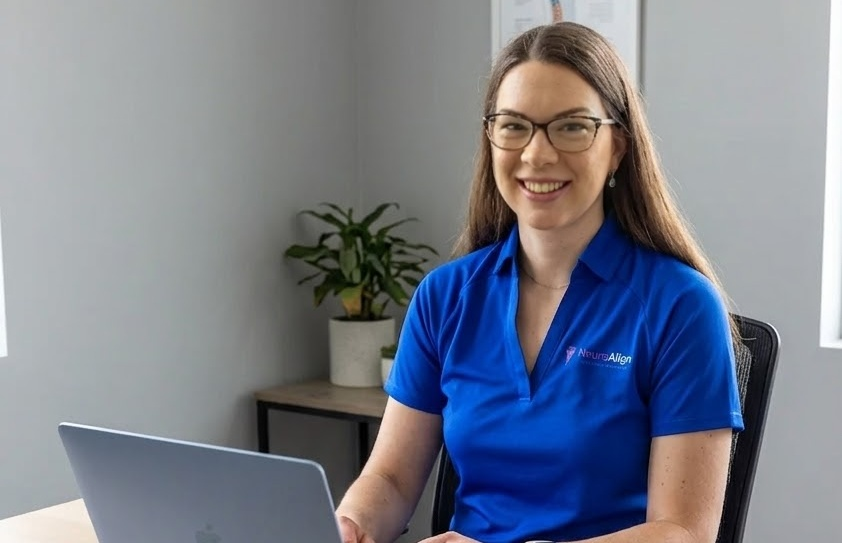
At NeuroAlign Physio, we believe that geography should never be a barrier to high-quality neurological rehabilitation. Our Virtual Health (Telehealth) services bring our specialized expertise directly into your home, ensuring that individuals living in rural and remote British Columbia have access to the same level of care as those in larger centers. By utilizing secure, easy-to-use video conferencing, we bridge the gap for those who find travel difficult due to distance, weather, or mobility challenges.
Our Virtual Health platform supports both Physiotherapy (PT) and Occupational Therapy (OT) services. Whether you are working with a Physiotherapist on gait retraining and balance or collaborating with our Occupational Therapist on cognitive strategies and home adaptations, our team provides real-time coaching and assessment. This option is particularly effective for the neurological population, allowing us to see you move in your natural environment and provide immediate, functional feedback that translates directly to your daily life.
Why choose Virtual Health?
Accessibility for Rural BC: Access specialized neuro-rehab from anywhere in the province without the stress or cost of long-distance travel.
Home Environment Assessment: We can observe how you navigate your specific space, helping us tailor exercises to your real-world obstacles.
Consistency of Care: Maintain your progress during winter months or when transportation is unavailable.
Empowered Independence: Learn how to manage your condition and perform your exercises safely in your own home setting.
What is required for a Virtual Visit?
Technology: A computer, tablet, or smartphone with a working camera and microphone.
Internet: A stable high-speed internet connection to ensure a clear video feed.
Space: A quiet, well-lit area with enough room for you to move as directed by your therapist.
Safety Support: For your safety, we require that a family member, friend, or caregiver be present during the session if balance or physical stability is a concern.
To ensure your Virtual Health session is safe, productive, and stress-free, please use this checklist to prepare. Setting up your environment correctly is especially important for our neurological clients to ensure we can accurately assess your movement and keep you steady on your feet!
“Highly recommended NeuroAlign Physiotherapy’s online services for both PT and OT. I live in a rural community with few healthcare options, and due to my current health and physical limitations I cannot easily travel, which makes online services ideal for my situation. I have been a client with NeuroAlign since 2025 and they’ve been immensely supportive, providing all the necessary educational resources and therapy needed for the ongoing treatment of my FND diagnosis. They are professional, compassionate experts who go above and beyond to aid you in your recovery and healing. So blessed to have found them.”
MR
💻 Technology & Connection
Device Setup:
Use a laptop, tablet, or smartphone with a working camera and microphone. If using a tablet or phone, ensure you have a way to prop it up (using a stand or stable surface) so your hands remain free.
Battery Check:
Ensure your device is fully charged or plugged into a power source during the session.
Internet Stability:
Connect to a reliable Wi-Fi network. For the best connection, ask others in your home to pause high-bandwidth activities like streaming movies or gaming during your call.
Platform Ready:
Click the secure link sent to your email 5–10 minutes before your start time to test your audio and video settings.
🏠 Your Environment
Clear the Space:
Ensure you have a clutter-free area (ideally about 6×6 feet) where you can move safely. Remove loose rugs, cords, or pets that could be a trip hazard.
Lighting:
Position yourself so that the light source (like a window or lamp) is in front of you, not behind you. This helps your therapist see your movement and facial expressions clearly.
Seating:
Have a sturdy, non-rolling chair (with armrests if needed for balance) nearby for sitting exercises or to use as a handhold while standing.
Privacy:
Choose a quiet, private room where you feel comfortable discussing your health and won’t be interrupted.
👟 Personal Preparation
What to Wear:
Wear comfortable, loose-fitting athletic clothing. For the best assessment, we recommend a tank top or t-shirt and shorts so we can observe your joints and posture. Please wear supportive, non-slip indoor shoes.
Safety Assistant:
Required for safety: If you have concerns about your balance or physical stability, a family member, friend, or caregiver must be present to assist you during the session.
Tools & Aids:
Have your walking aids (cane, walker), glasses, and hearing aids ready and in use.
Medication List:
Have a current list of your medications or the bottles themselves nearby in case your OT or PT needs to review them.
📝 Information for Your Therapist
Emergency Contact:
Have the address of your current location and a backup phone number ready in case the video connection drops.
Questions:
Jot down 2–3 main goals or questions you want to address today so we can make the most of our time together!
Book an appointment
to begin your movement recovery journey.